
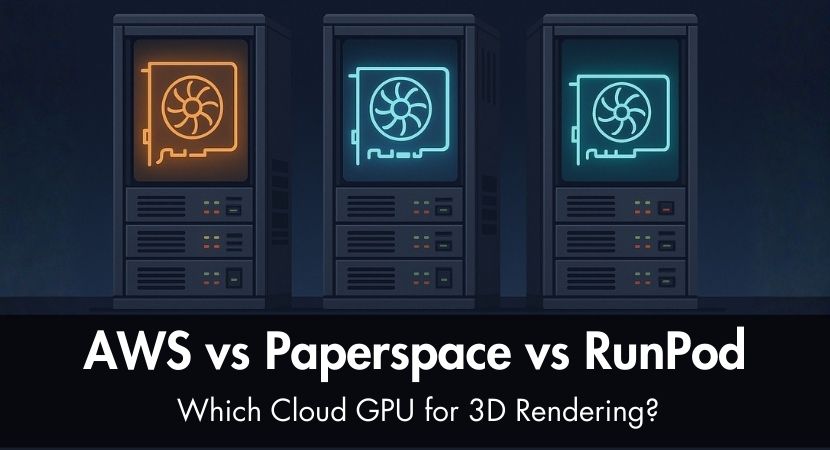
Cloud GPUs promise power on demand, but which platform actually gives 3D artists the best performance for their money? In our new RebusFarm guide, we analyze and compare AWS, Paperspace, and RunPod to uncover which cloud solution is actually worth it for rendering. Read our post and stay informed!
Today's 3D artists confront a well-known problem: rendering requirements are constantly rising, but local GPUs are costly, difficult to upgrade, and frequently unavailable when deadlines are approaching. Even a single high-end GPU such as the RTX 4090 can cost more than an entire workstation from a few years ago, and upgrading every two or three years is not viable for many freelancers and small studios.
Because of this, cloud GPU services have become an attractive choice. On-demand GPU power, flexibility, and a smaller initial investment are promised by platforms like AWS, Paperspace, and RunPod. However, picking the best one is far from simple. Pricing models differ a lot, technical configuration varies, and real-world performance often hinges on aspects that are not obvious at first glance.
In this article, we break down these three platforms from the perspective of 3D rendering particularly and not gaming, AI training, or workstation streaming. Our target is to assist you in recognizing each one's strengths and weaknesses as well as how to assess its true cost for your workflow.
While cloud GPUs are undoubtedly capable of rendering, it's also crucial to remember that dedicated render farms, such as RebusFarm, can provide greater value by offering pre-configured environments, built-in render management, predictable pricing, and professional support. When you consider setup time, licensing, storage, and maintenance, expenses that many users ignore when selecting DIY (do-it-yourself) cloud solutions, the difference becomes clear.
Understanding Cloud GPU Services vs Render Farms.
Cloud GPU for rendering systems like AWS, Paperspace, and RunPod provide you raw virtual machines coupled to powerful GPUs. AWS 3D rendering focuses on enterprise-grade infrastructure, while Paperspace GPU cloud is more tailored to creative workflows. You gain full control of the environment: the operating system, the software installed, render engines, plugins, and data storage.
However, they differ from render farms, which provide ready-to-use pipelines, automated task management, and optimized setups for render engines such as V-Ray, Corona, Blender Cycles, Arnold, Redshift, and others.
Cloud GPU service = you manage everything.
With a cloud GPU service you have to configure the machine, install your licenses, upload assets, manage storage, and monitor render jobs manually.
Render farm = everything is pre-configured and managed for you.
You only have to submit your scene and download the result. Everything else is taken care of by professionals.
Cloud GPU platforms offer flexibility and control, while render farms offer speed, reliability, and simplicity. The right choice depends highly on your technical skills and needs.
In this video below, RebusFarm walks you through what a render farm is and why it is necessary for 3D artists in the first place. The video showcases how render farms can divide up and distribute a scene across hundreds of custom-built nodes, dramatically cutting down production time and providing a smooth, integrated workflow that doesn't require that you spend numerous pennies on owning (or even maintaining) the same type of hardware.
AWS GPU Rendering Instances for the 3D Cloud: The Enterprise Option.
Amazon Web Services is the largest cloud provider in the world, offering a vast selection of GPU types through EC2 instances. Although AWS is well renowned for stability and scalability, its pricing and setup complexity might be overwhelming for first-time users.
AWS GPU rendering has become a cornerstone for studios seeking Amazon AWS rendering capabilities at scale. Its AWS cloud rendering infrastructure offers enterprise-level reliability for production pipelines, although setup complexity remains an important consideration.
Overview.
From more advanced A10G, A100, and H100 GPUs to more traditional NVIDIA T4 chips, AWS offers GPU instances. These machines are built primarily for AI workloads, scientific computing, and enterprise-level virtualization, although they can also be configured for 3D rendering.
However, AWS is not suited toward artists. Configuration, networking, permissions, and security settings can feel intimidating if you're not used to IT administration.
Best for.
- Large studios needing enterprise-grade stability
- Teams with DevOps or cloud administrators
- Users running long-term, consistent workflows
- Studios with strict reliability requirements
Pricing Structure (as of 2025).
AWS pricing varies by region, GPU type, and reservation method. Approximate on-demand pricing:
| GPU Type | Estimated hourly rate |
|---|---|
| NVIDIA T4 | ~$0.60–$0.90/hr |
| NVIDIA A10G | ~$1.50–$2.50/hr |
| NVIDIA A100 (40GB) | ~$4.00–$6.50/hr |
| NVIDIA H100 | ~$12–$18/hr |
Reserved Instances or Spot Instances can minimize cost, but spot computers can shut down without warning and this is a big danger for long renders.
Setup Complexity.
AWS requires configuring:
- VPC networking
- Storage volumes
- AMI operating systems
- Security groups
- Licensing and software installation
- Instance scaling
If you're new to the ecosystem then expect 4 to 8 hours for a comfortable setup.
Hidden Costs.
AWS tends to accumulate unexpected charges:
- Data transfer in/out of EC2
- Long-term storage on S3
- Elastic IP charges
- Premium monitoring and support
- OS licensing fees for Windows instances
If you're not monitoring billing, costs can escalate quickly.
Real Example Cost: 1-Hour Animation Render.
A typical high-end GPU like the A10G or A100 could cost between $50–$200 for a one-hour animation render, depending on:
- GPU type
- Number of instances
- Data transfer fees
- Storage duration
This is consistent with real-world estimates mentioned in cloud GPU analyses from cloud providers and reviewers like CloudMorpho and Img.ly.
Paperspace: The Creative-Friendly Platform for 3D Artists.
Paperspace (acquired by DigitalOcean) is one of the most 3d artist-friendly cloud GPU platforms, featuring clear UI, straightforward pricing, and prebuilt operating system templates. It is far simpler to set up and less daunting for independent contractors or small teams than AWS.
Overview.
Paperspace GPU cloud offers machines termed "CORE" and "Gradient" instances. The GPU Paperspace lineup includes RTX 4000, RTX A5000, A6000, and A100 GPUs, making Paperspace GPU instances particularly attractive for artists.
Best for.
- Freelancers needing short-term GPU rentals
- Small studios without DevOps knowledge
- Artists who prefer a visual dashboard over command-line
- Hybrid GPU workflows (AI tools + rendering)
Pricing Structure (as of 2025).
Approximate hourly rates:
| GPU Type | Estimated hourly rate |
|---|---|
| RTX 4000 | ~$0.50–$0.75/hr |
| RTX A5000 | ~$0.90–$1.20/hr |
| RTX A6000 | ~$1.50–$2.00/hr |
| A100 | ~$3.00–$4.50/hr |
Storage, public IPs, and snapshots add additional charges.
Setup Complexity.
A complete setup typically takes 2 to 4 hours, much faster than AWS. Artists familiar with Windows or Linux will find the UI enough approachable.
Hidden Costs.
- Paid snapshots for saving your workspace
- Storage for large project files
- Higher pricing in some regions
- Limited enterprise support
- Occasional GPU unavailability during high demand
Real Example Cost: 1-Hour Animation Render.
A one-hour animation render across several nodes should cost between $30 and $100, depending on the GPU. Paperspace's lower overhead makes it generally cheaper than AWS, mainly for short-term usage.
RunPod GPU for Cloud Rendering: Budget-Friendly Alternative?
RunPod's community-powered cloud and clear pricing have made it popular among AI researchers and independent producers. It often delivers the lowest hourly GPU costs among mainstream suppliers.
Overview.
RunPod offers two categories:
- Community Cloud: lower cost, but machines may experience interruptions
- Secure Cloud: more stable, but slightly more expensive
Their GPU selection includes RTX 3090, 4090, A5000, A6000, and A100.
Best for.
- Budget-conscious freelancers
- Students or hobbyists
- AI workflows and hybrid rendering setups
- Short bursts of rendering when cost matters more than reliability
Pricing Structure (as of 2025).
Approximate hourly rates:
| GPU Type | Estimated hourly rate |
|---|---|
| RTX 3090 | ~$0.35–$0.60/hr |
| RTX 4090 | ~$0.60–$1.00/hr |
| A5000 | ~$0.75–$1.20/hr |
| A100 | ~$2.50–$4.00/hr |
These rates agree with comparisons seen on RunPod’s own cloud provider guides and third-party evaluations.
Setup Complexity.
Expect 2 to 5 hours, depending on whether you use pre-installed templates or build your environment manually.
Hidden Costs.
- Community Cloud interruptions
- Paid storage volumes
- Higher fees on Secure Cloud
- No formal enterprise-level support
- Limited geographic availability
Real Example Cost: 1-Hour Animation Render.
The same one-hour animation may cost anywhere from $15 to $60 on RunPod, making it the least expensive option overall, but it is also the least predictable in availability and uptime.
Cloud GPU Providers Comparison: AWS vs Paperspace vs RunPod Pricing.
Cloud GPU Providers Comparison Table.
| Feature | AWS | Paperspace | RunPod |
|---|---|---|---|
| Typical hourly (A100) | $4–$6.50 | $3–$4.50 | $2.50–$4 |
| Typical hourly (RTX 4090) | Not common | $1.50–$2 | $0.60–$1 |
| Setup time | 4–8 hrs | 2–4 hrs | 2–5 hrs |
| Monthly minimum spend | None, but storage costs accumulate | None | None |
| Data transfer fees | High | Medium | Low–Medium |
| Support quality | Enterprise-grade | Good for small teams | Community-driven |
| Ease of use | Difficult | Moderate, artist-friendly | Moderate |
| Best use case | Large studios | Freelancers & small teams | Budget rendering |
When evaluating a cloud GPU for rendering, it's important to understand that GPU cloud for 3D rendering differs significantly from traditional render farms. While an AWS render farm alternative may look appealing, the DIY nature of GPU cloud rendering requires substantial technical expertise.
What Are the Hidden Costs and Challenges of GPU Cloud Services for 3D Rendering?
Working with cloud GPU services may seem uncomplicated at first glance, but some hidden problems can severely effect both your budget and process. One of the most immediate difficulties is software licensing. Every cloud machine requires you to carry your own licenses for software such as 3ds Max, Maya, Cinema 4D, and all the render engines you rely on like V-Ray, Corona, Arnold, Redshift, and any additional plugins. You might require additional or upgraded licenses before you can render anything at all because some of these tools even limit usage on virtualized hardware, which will add to your overall cost.
The setup time is another difficulty. It is rarely instantaneous to configure a cloud machine for 3D rendering. Before you can submit your first scene, it could take you two to eight hours to install software, activate licenses, set up storage pathways, secure the environment, and adjust system settings, depending on the platform you select and your level of experience.
Once your computers are up and operating, the task of maintenance falls solely on you. You become your own render infrastructure's IT department when you use cloud GPUs. Drivers must be kept up to date, system updates must be applied, security patches must be maintained, backups must be managed, networking configurations must be supervised, and ensure your environment remains stable throughout the project. None of this can be handled automatically.
The learning curve can be another unforeseen challenge. Artists who are used to working locally suddenly need to learn command-line operations, storage allocation, networking rules, virtualization concepts, and cloud architecture. These technical restrictions might slow down production, especially within tight deadlines.
Finally, cloud GPUs offer no built-in render management. Unlike a render farm, which automates work distribution and monitoring, cloud platforms need you to start jobs manually, monitor progress in real time, diagnose faults on your own, and queue the following batches one after another. For large projects with hundreds of frames, this procedure can quickly become exhausting and time-consuming, drawing concentration away from creative work.
Performance and Reliability Factors.
AWS
- 99.99% uptime SLA
- Very stable GPU performance
- Massive global geographic coverage
Paperspace
- 99.9% uptime
- Occasional GPU shortages in peak hours
- Good UI but limited regions compared to AWS
RunPod
- Community Cloud prone to interruptions
- Secure Cloud more stable but at a higher price
- Limited global coverage
GPU Availability
All three providers may run out of popular GPUs (A100, 4090) during high demand, especially in the AI boom.
When to Choose Each Platform.
Choose AWS if...
- You want enterprise reliability
- Your team already uses AWS for storage or compute
- You need strict uptime and global region choice
- Budget is less sensitive than stability
Choose Paperspace if...
- You are a freelancer or small studio
- You want a user-friendly interface
- You value predictable pricing
- You prefer a machine that feels like a local workstation
Choose RunPod if...
- Cost is your priority
- You need GPUs for short, intensive bursts
- You are comfortable handling occasional instability
- You work alone or in a small team with flexible deadlines
The Render Farm Alternative.
Although cloud GPU platforms are strong, they require a lot of technical control, licensing management, and setup. This is where RebusFarm offers an attractive alternative.
With RebusFarm, you get:
- Pre-configured environments for all major render engines and plugins
- Automated job distribution
- Frame previews and error checks
- Predictable pricing
- No setup or maintenance
- High reliability
- Expert support when something goes wrong
RebusFarm is faster, cheaper, and far more convenient for artists who just want to submit a scene and render without spending hours configuring software.
Making the Decision: Questions to Ask.
- What's your actual monthly render-hour need?
- Do you have technical skills for installation and cloud maintenance?
- Is this for one project or recurring weekly use?
- How tight are your deadlines?
- Do you need professional support or fully self-service?
- Do you already own all required software licenses?
- Are you working solo or as part of a team?
How to Reduce Costs on Cloud GPU Rendering.
AWS
- Use Spot Instances for non-critical renders
- Shut down machines immediately after use
- Store files locally instead of on S3
Paperspace
- Delete unused snapshots
- Use lower-cost regions
- Automate machine shutdown timers
RunPod
- Prefer Community Cloud for short sessions
- Use cheaper RTX 3090 or 4090 GPUs when possible
- Remove unused persistent volumes
General Cost-Saving Tips
- Render tests locally, finals in the cloud
- Use a hybrid workflow
- Offload large batch renders to RebusFarm for predictable pricing
This blended approach gives you flexibility while reducing financial risk.
What to Do Next.
- Calculate your real GPU needs before committing to a platform
- Start small: test a single instance before scaling up
- Compare your results with RebusFarm’s free trial
- Use the RebusFarm Cost Calculator to estimate project costs.
Testing multiple workflows is the best way to discover what works for your project size, deadlines, and budget.
Frequently Asked Questions.
Which cloud GPU provider is best for Blender?
Paperspace and RunPod are more user-friendly for Blender, while AWS offers more consistency if you need enterprise-level uptime.
What is the cheapest cloud GPU service for 3D rendering?
For RTX 3090 and 4090 GPUs in particular, RunPod usually has the lowest hourly pricing.
Is AWS good for 3D rendering?
AWS is incredibly stable and scalable, but costly and complex for beginners. It works well in studios that have IT support.
What’s the difference between a cloud GPU platform and a render farm?
Cloud GPU = you configure everything manually.
Render farm = automated, optimized rendering with support.
Can I use RunPod or Paperspace for rendering in Maya or Blender?
Yes, as long as you customize the environment and install your own licenses. You are responsible for setup and maintenance.
How does RunPod differ from AWS or Paperspace?
RunPod is the cheapest option and easiest to start with, but it has higher variability in uptime and fewer enterprise features.
Thank you for taking the time to read this guide. I hope it helped you understand the differences between these cloud GPU platforms and gave you a clearer path for a rendering workflow that can support your creativity. No matter which tools we choose, we’re all driven by the same passion for 3D art and the desire to keep evolving our craft.
Kind regards & Keep rendering! 🧡
About the author
Vasilis Koutlis, the founder of VWArtclub, was born in Athens in 1979. After studying furniture design and decoration, he started dedicating himself to 3D art in 2002. In 2012, the idea of VWArtclub was born: an active 3D community that has grown over the last 12 years into one of the largest online 3D communities worldwide, with over 160 thousand members. He acquired partners worldwide, and various collaborators trusted him with their ideas as he rewarded them with his consistent state-of-the-art services. Not a moment goes by without him thinking of a beautiful image; thus, he is never concerned with time but only with the design's quality.